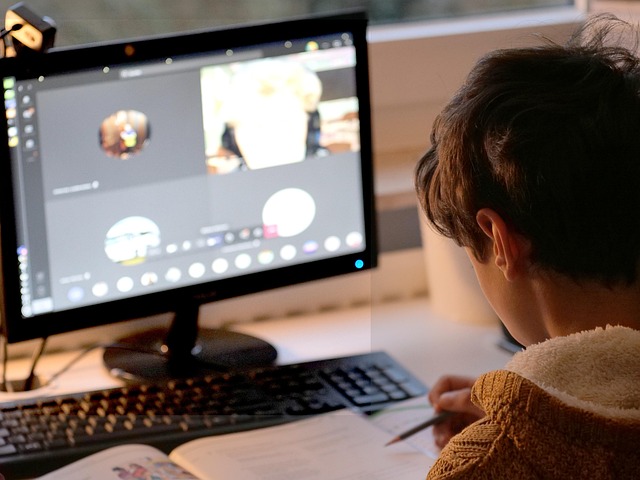

Imagine settling into your favorite chair, headphones on, screen glowing, and the topic you’ve been struggling with finally clicks because you can pause, rewind, and replay a critical explanation. That small moment of triumph is made possible by something deceptively simple yet transformative: video playback. In the realm of Video-driven online education, this feature is quickly becoming the secret ingredient for genuine knowledge building.
The Emotional Advantage of Control
Traditional classrooms rarely allow for a professor to rewind mid-sentence. When concepts fly past us, anxiety often follows. With adaptable video playback controls—pause, slow-motion, speed-up—learners experience an almost therapeutic sense of control. That feeling of mastery over pace transforms frustration into confidence, breeding curiosity instead of fatigue.
Repetition as a Catalyst for Memory
Cognitive science tells us that repetition strengthens neural pathways. Clicking “replay” reinforces key ideas exactly when the brain needs them. In the asynchronous world of online education, learners decide how many loops it takes before the lightbulb switches on. Each iteration isn’t redundant; it’s deliberate scaffolding for deeper understanding.
Micro-Segmentation and Chunking
Many platforms now segment longer lectures into digestible chapters. Pair that with smart video playback tools that remember where you left off, and suddenly the intimidating 60-minute lecture feels like a curated playlist of bite-sized insights. Chunking content reduces cognitive load and aligns perfectly with modern attention spans.
Interactive Layers on Top of Playback
- Embedded quizzes: Timed questions pop up, ensuring active engagement.
- On-screen annotations: Highlighted definitions or formulas appear without leaving the player.
- Comment timelines: Peer notes tethered to exact timestamps create a living margin in the digital textbook.
These layers transform passive watching into an interactive expedition, tightening the bond between learner and material.
Collaboration Without Schedules
When learners rewatch a difficult segment at 2 a.m. and drop insights in a shared comment thread, a silent symphony of collaboration occurs. Knowledge building extends beyond the individual, weaving a communal tapestry of explanations, clarifications, and “aha!” moments—minus the logistical chaos of syncing calendars.
Accessibility and Inclusivity
Adjustable video playback speeds benefit not only fast processors but also those needing extra time, including language learners and students with learning differences. Closed captions, audio descriptions, and transcript syncing make the educational space more equitable, reinforcing the idea that true online education should leave no one behind.
Best Practices for Content Creators
- Design for rewind: Craft clear chapter titles and logical breaks that reward those who circle back.
- Speak modularly: Summarize mini-concepts before progressing; it eases segmentation.
- Visual anchors: Use consistent graphics so frames are recognizable when scrubbing.
- Prompt reflection: Insert questions that encourage pausing, note-taking, and discussion.
Looking Forward
Emerging trends hint at AI-generated summaries after each watch session, adaptive playback that surfaces personalized hints, and gesture-controlled interfaces eliminating the need for a mouse. As these innovations mature, they will further entwine video playback with the very fabric of knowledge building, ensuring that online education remains not just a substitute for classroom learning but a frontier where human curiosity meets technological empowerment.